Vocals and accompaniment
Use two-stem separation to isolate the vocal and instrumental parts. Prepare accompaniment for singing practice or focus on a vocal performance without the full mix.
Upload a song and this vocal remover splits it into two tracks: an instrumental with the vocals removed, ready for karaoke, and an acapella with only the voice. Listen to both and download them right in your browser, with no software to install.
New accounts in most countries get free credits, enough to remove the vocals from one song. More separations, the full stem split and WAV downloads are included from Starter, from $14.99/month. See plans
The 2 stems mode separates a finished mix into the voice and the music. The instrumental is the song without vocals, for karaoke, rehearsals and covers. The acapella is the vocal without music, for remixes, mashups and learning a vocal part. One separation gives you both, so you don't need a separate acapella extractor or karaoke maker. If you need the drums, bass or guitar on their own, switch to Up to 12 stems, included from the Starter plan.
Use two-stem separation to isolate the vocal and instrumental parts. Prepare accompaniment for singing practice or focus on a vocal performance without the full mix.
Multi-stem separation can return up to 12 tracks, including vocals, drums, bass, guitar and keyboards. The available tracks depend on the source audio and processing result.
Upload an MP3 or WAV file, or pick one of your songs from your library. Files can be up to 20 MB and 3 seconds to 8 minutes long. Sign in to upload.
This page opens with vocals + instrumental already selected, so the AI cuts the vocal out of the mix and saves it as its own track. The credit cost is shown on the button before you start, and the task appears in your separation history.
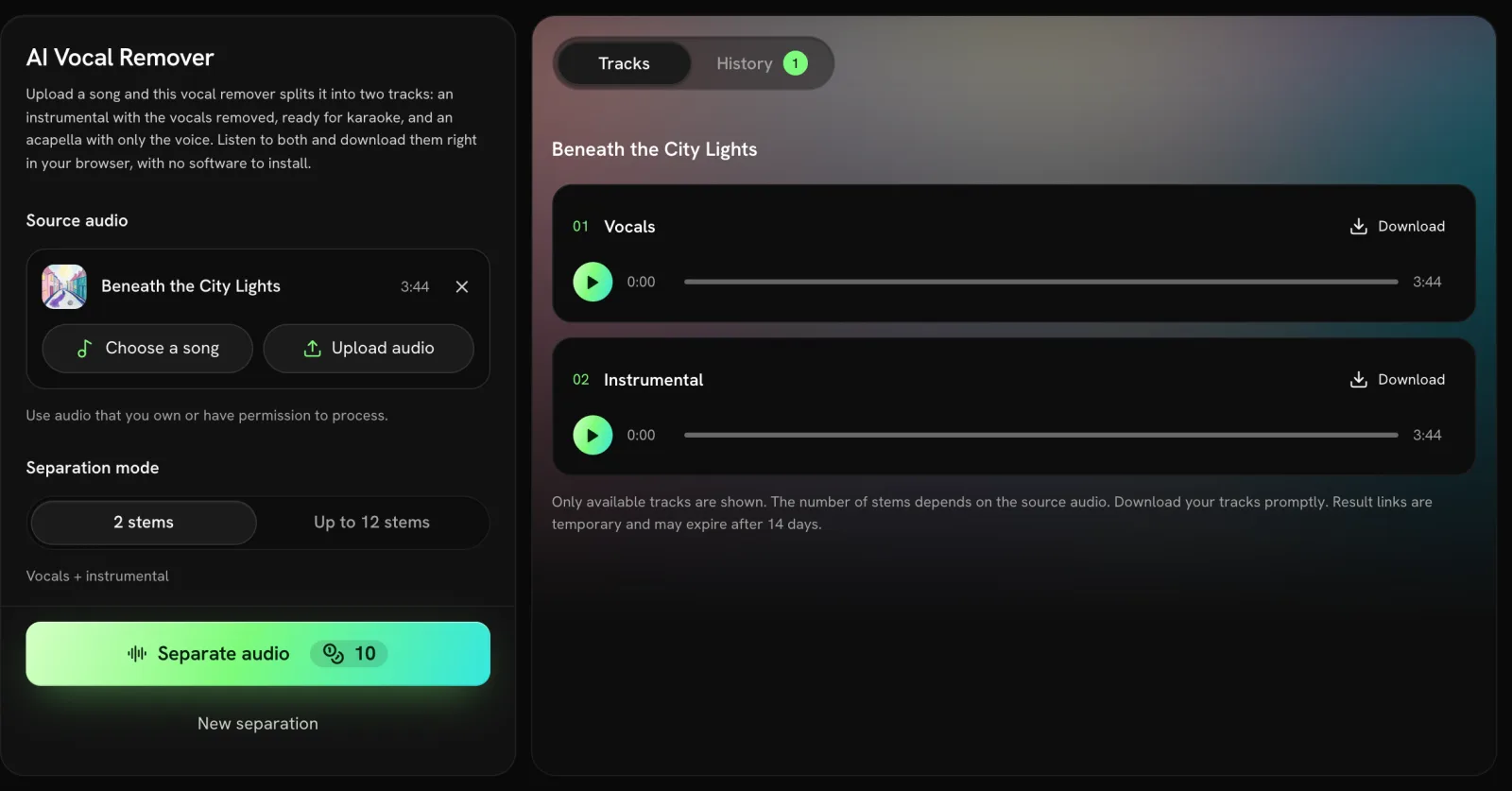
Play the Vocals and Instrumental tracks and download the ones you need. Save them soon: the download links are temporary and may expire after 14 days.
After the separation, the result panel shows two tracks. Pick the one that fits your project.
| Track | What's in it | Use it for |
|---|---|---|
| Instrumental (karaoke version) | The music without the vocals | Karaoke, rehearsal, singing a cover |
| Vocals (acapella) | The voice without the music | Remixes, mashups, studying a vocal part |
Explore the rhythm section, work with a bass line or rearrange individual parts in your audio editor.
Listen closely to a part, learn its timing and phrasing, or use the instrumental track for vocal rehearsal.
Reuse authorized vocal or instrumental parts in podcasts, videos and other creative projects. Keep the rights to the original recording in mind.
An acapella is the singer's voice on its own, with no music. An instrumental is the opposite: the music with the vocals removed, which is what you sing over at karaoke. The 2 stems mode makes both from one song in a single separation.
Two-stem separation produces vocals and accompaniment. Multi-stem separation can extract up to 12 vocal and instrument tracks. Not every source produces every instrument; the result panel shows only the tracks returned.
Upload MP3 or WAV files up to 20 MB, from 3 seconds to 8 minutes long. You need to sign in and have at least 1 credit in your account before uploading.
Yes, once. New accounts in most countries get free credits, and the first vocal and instrumental separation needs no plan; it uses part of those credits. More separations, the 12-track split and WAV downloads are included from the Starter plan. The button shows the exact credit cost before you submit.
Upload your own audio or recordings you have permission to process. The rights to the original song stay with its owners, so only publish the separated tracks, remixes or covers in ways those rights allow.
Yes. Sign in to the same account and open separation history to check your task. Download completed tracks promptly because the audio links are temporary and may expire after 14 days.
No vocal remover can promise a perfectly clean result on every recording. Dense mixes, overlapping instruments and effects such as reverb can leave artifacts or traces of the voice in the instrumental. Preview the result before you use it.
Choose your audio and start separating in the workbench above.