Musikalis Guides
How to Create a Song with AI
A beginner guide to creating a complete AI song with Musikalis, including prompt structure, lyrics, genres, vocals, iteration, and download workflow.
Start in the creator, learn the workflow fast, then move into deeper prompt and production decisions.
This beginner guide shows how to create a song with AI using Musikalis. You can start with a simple idea, a lyric draft, a genre, or a use case such as YouTube background music, a birthday song, or a rap track.
Quick answer
To create a song with AI, describe the genre, mood, topic, instruments, vocal style, and intended use. Generate the first version, listen for the strongest idea, then revise the prompt or lyrics until the song fits your goal.
Step 1: Define the song goal
Before opening the AI Music Generator, write one sentence that explains what the track is for.
Examples:
- A motivational pop song for a product launch video.
- A romantic acoustic song for an anniversary message.
- A dark trap rap song about ambition.
- A calm lofi instrumental for studying.
- A birthday song for Emma with her name in the chorus.
This prevents vague prompts like "make a good song", which usually produce generic results.
Step 2: Choose the right starting tool
| Starting point | Use this tool | Why |
|---|---|---|
| You have a general idea | AI Music Generator | Best for full songs and text-to-music |
| You need lyrics first | AI Lyrics Generator | Better control over message and structure |
| You want a birthday gift | Birthday Song Generator | Built for names, relationships, and celebration tone |
| You want a rap track | AI Rap Generator | Better for bars, hooks, flow, and beats |
| You need a background loop | AI Lofi Music Generator | Better for calm instrumental content |
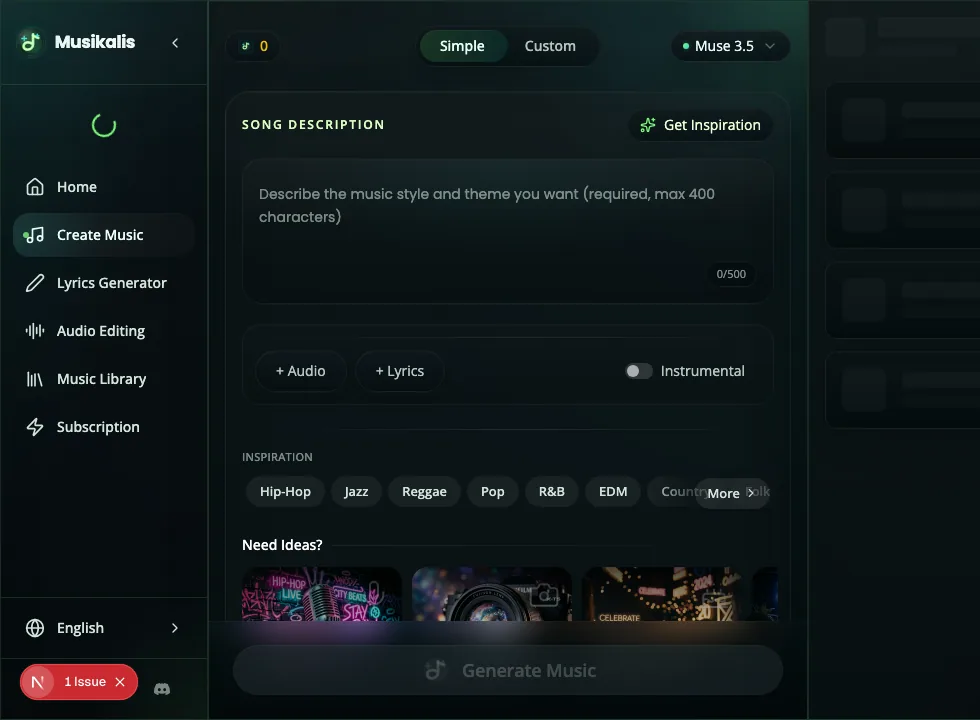
The creator keeps the core decisions in one place: song description, optional lyrics, instrumental mode, and inspiration chips.
Step 3: Write a clear prompt
Use this prompt formula:
Create a [genre] song about [topic] with [mood], [instruments], [vocal style], [tempo or energy], and [use case].Example:
Create a cinematic pop song about chasing a dream, with emotional piano, warm strings, powerful drums, expressive male vocals, and a hopeful chorus for a YouTube trailer.If you want an instrumental, say that directly:
Create an instrumental lofi hip hop track with mellow Rhodes piano, soft vinyl texture, warm bass, relaxed drums, and no vocals for studying.Step 4: Add lyrics when needed
Lyrics are optional, but they matter when the song needs a specific message.
Use custom lyrics when:
- The song includes a name.
- The song is for a birthday, wedding, brand, or personal story.
- You want exact wording in the chorus.
- You are creating rap, pop, country, or singer-songwriter music.
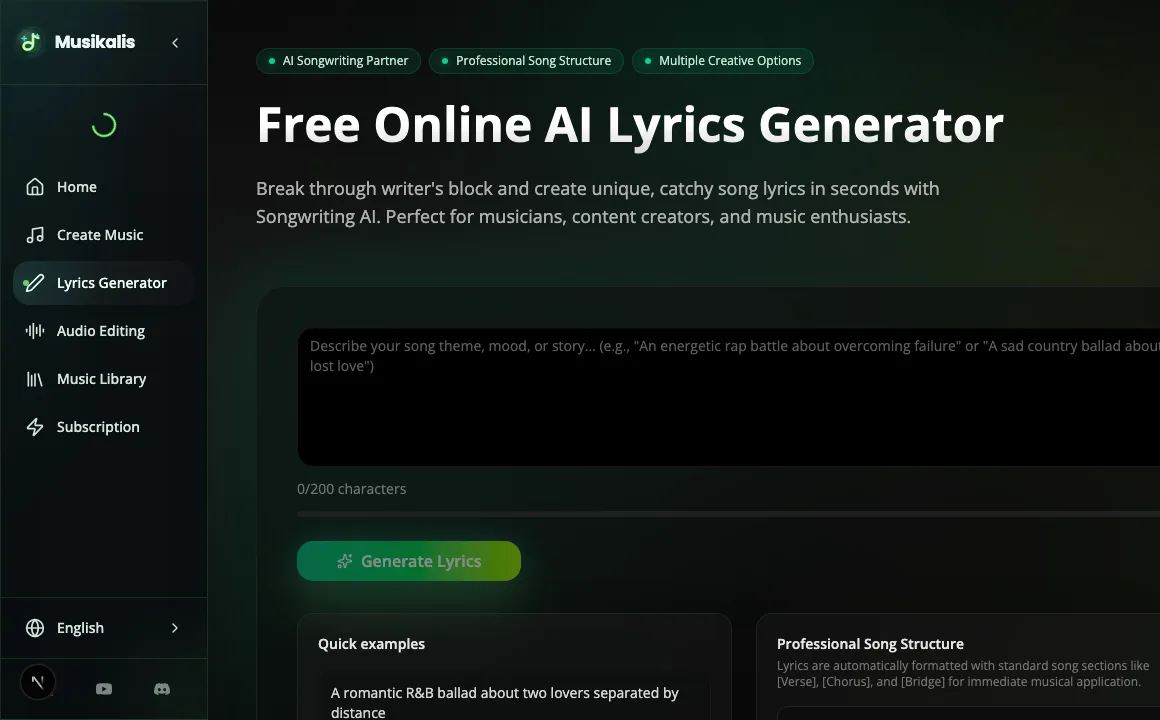
Draft the lyrical idea first when the wording matters, then return to the generator with clearer structure and emotional direction.
If you do not have lyrics yet, draft them with the AI Lyrics Generator, then return to the music generator.
Step 5: Generate and review
After generating the first version, listen for these five things:
| Check | What to listen for |
|---|---|
| Hook | Is there a memorable chorus or musical phrase? |
| Voice | Does the vocal style fit the genre? |
| Arrangement | Does the song build naturally? |
| Mood | Does the emotional tone match your prompt? |
| Use case | Would the song work in your video, gift, podcast, or project? |
Do not expect the first version to be final. AI music works best when you iterate.
Step 6: Improve the next generation
Make one change at a time:
- Add a clearer genre: "pop rock", "trap soul", "cinematic orchestral", "lofi jazz".
- Add instruments: "electric guitar", "808 bass", "acoustic drums", "warm piano".
- Add vocal direction: "soft female vocal", "energetic rap delivery", "group chorus".
- Add structure: "verse, pre-chorus, big chorus, bridge, final chorus".
- Add production notes: "clean mix", "radio-ready", "warm analog texture".
For more prompt patterns, use AI Music Prompt Examples.
Step 7: Save and download
When you find a version you like, keep it in your Music Library. From there, you can replay tracks, compare versions, and download the result for your project.
If you plan to publish the song on YouTube or social media, read Royalty-Free AI Music for YouTube before release.
Common beginner mistakes
- Writing a prompt that is too vague.
- Asking for too many unrelated genres in one song.
- Forgetting to specify instrumental or vocal.
- Not reviewing lyrics before generation.
- Regenerating randomly instead of improving one prompt detail at a time.
Next steps
- Use the AI Music Generator to create your first song.
- Learn How to Write AI Music Prompts.
- Try a personal track with the Birthday Song Generator.