
Musikalis Guides
Introduction to Musikalis AI Music
Learn what Musikalis is, how the AI music generator works, and which tools to use for songs, lyrics, birthday music, lofi tracks, rap, and vocal removal.
Start in the creator, learn the workflow fast, then move into deeper prompt and production decisions.
Musikalis is an AI music creation platform for generating original songs, instrumentals, lyrics, and creator-ready audio from simple text prompts. It is designed for people who want music without starting in a traditional digital audio workstation.
The fastest path is simple: describe the song you want, choose a style or use case, generate a track, then refine the result until it fits your project.
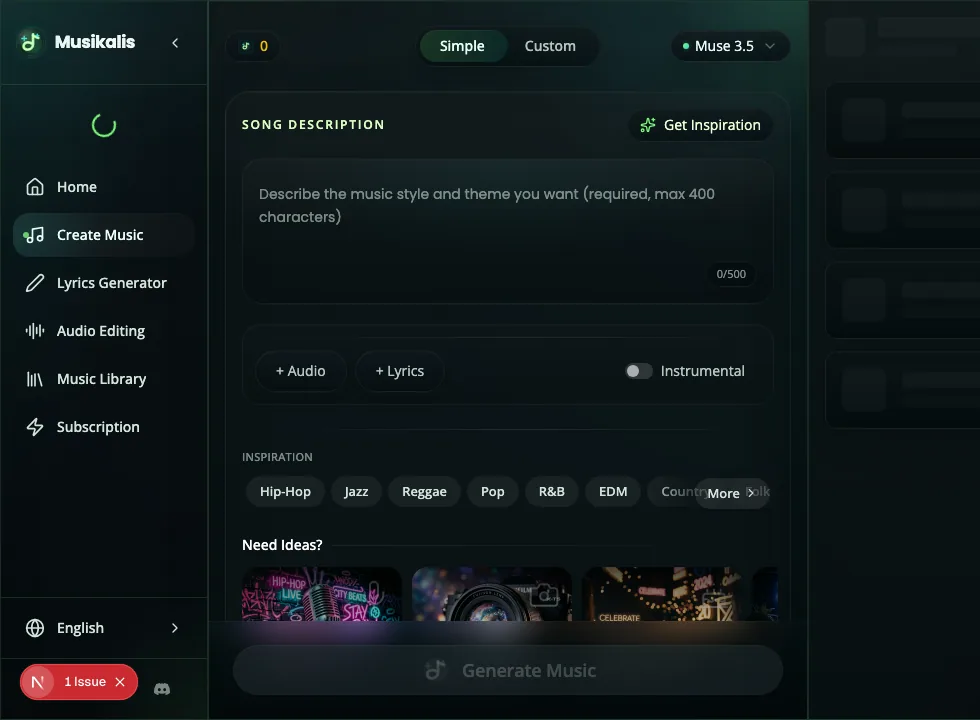
The main Musikalis workspace starts with a prompt-led music creation flow, then expands into lyrics, style, and iteration.
What you can create with Musikalis
Musikalis is built around the AI Music Generator, but the platform includes several related tools:
| Goal | Recommended tool | Example search intent |
|---|---|---|
| Generate a full song from text | AI Music Generator | AI music generator, text to music generator |
| Write verses, hooks, or chorus ideas | AI Lyrics Generator | AI lyrics generator, song lyrics generator |
| Create a personalized birthday track | Birthday Song Generator | birthday song generator with name |
| Make rap songs and beats | AI Rap Generator | AI rap generator, rap lyrics generator |
| Create lofi background music | AI Lofi Music Generator | lofi music generator, study music AI |
| Separate vocals and instrumentals | Vocal Remover | vocal remover, stem splitter |
| Save and replay generated songs | Music Library | AI music library, generated songs |
The basic workflow
Most Musikalis workflows follow the same pattern:
- Choose the result you want: full song, instrumental, lyrics, birthday song, rap, lofi, or separated stems.
- Describe the mood, genre, instruments, vocal style, and use case.
- Generate a track.
- Listen for the strongest idea.
- Adjust the prompt, lyrics, language, or style.
- Save or download the version that fits your project.
If you are new to AI song generation, read How to Create a Song with AI next.
What makes a good first prompt
A useful prompt does not need to be long. It needs to be specific.
Try this structure:
Create a [genre] song about [topic] with [mood], [instruments], [vocal style], and [use case].Example:
Create an uplifting pop song about starting again, with bright synths, clean female vocals, a catchy chorus, and a hopeful mood for a short brand video.The prompt gives the AI enough context to make musical decisions: genre, topic, emotional tone, arrangement, voice, and practical use.
When to start with lyrics first
Start with the AI Lyrics Generator if the words matter more than the production. This is useful for:
- Songs with a personal message.
- Birthday songs with a name or relationship.
- Rap songs where rhyme and flow matter.
- Commercial jingles or brand songs.
- Multilingual music where wording needs review before generation.
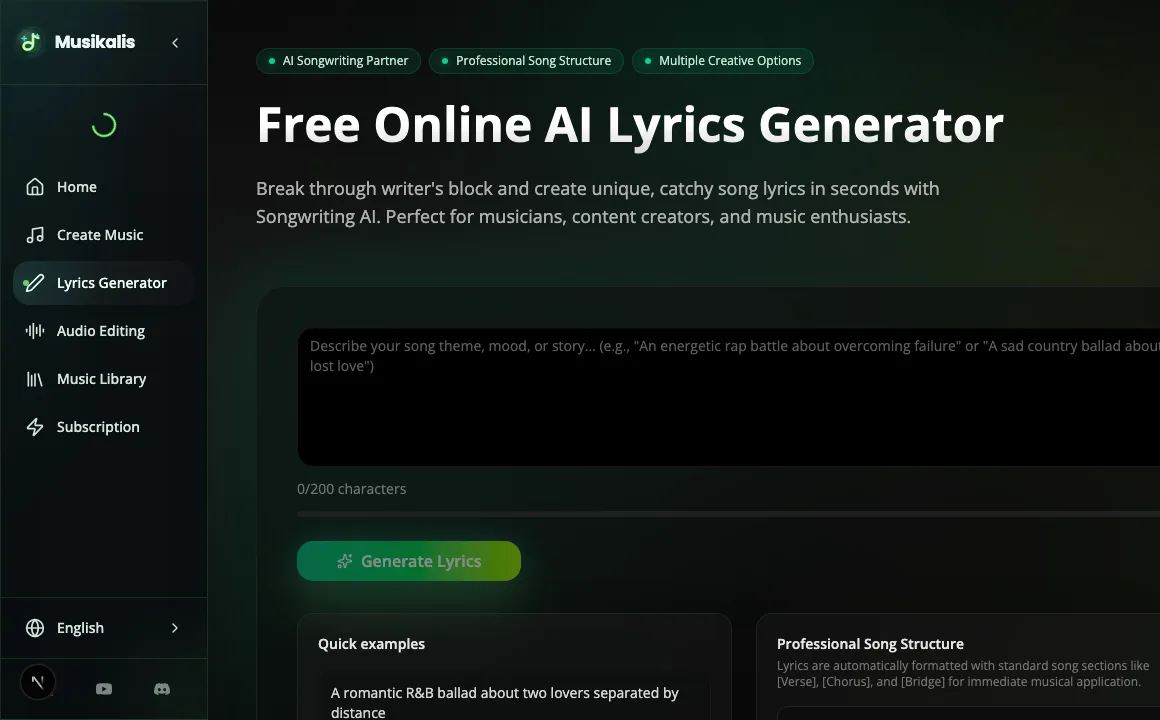
Use the lyrics-first flow when the message, chorus wording, or personal details need to be refined before turning them into music.
After you have a lyric draft, paste it into the AI Music Generator and add style instructions.
When to start with music first
Start with music first if you need a mood, beat, or background track quickly. This is usually better for:
- YouTube background music.
- Podcast intros.
- Product videos.
- Short-form social content.
- Lofi study tracks.
- Ambient, cinematic, or instrumental music.
For licensing and publishing workflow, read Royalty-Free AI Music for YouTube.
Next steps
- Learn the full workflow: How to Create a Song with AI.
- Improve output quality: How to Write AI Music Prompts.
- Copy examples: AI Music Prompt Examples.
- Create a personal gift: Create a Birthday Song with a Name.